
Revolut budgeting: how it works and what it can't see
Revolut has a budget and good spending charts built in: tap the analytics icon at the top right of Home. They count only what goes through Revolut. If you also pay cash or use a card from another bank, you need one place that sees all of it.
Budgeting inside the Revolut app
- Open Home and tap the analytics and budgeting icon at the top right.
- Tap the date at the top right and pick a monthly or weekly cycle and its start day. Pick your payday for a month that starts with your salary.
- Tap Set up a budget to set your limit for the cycle.
- Open Spent to see where the money went: by category, merchant, country, currency or card, against the last period.
Two more tools sit on the same screen. You can create your own categories: sort Spent by category and tap Manage. Income Sorter splits each salary payment into Pockets, savings or a joint account the moment it arrives.
From Revolut's help pages on the analytics dashboard, spending and income analytics and Income Sorter, UK site, checked November 6, 2026. Menus may differ by country and plan.
Where Revolut budgeting stops
- Cash. A coffee paid in coins never reaches Revolut, so it is missing from Spent and from the budget.
- Other banks. Spent is built from your Revolut accounts. Rent paid from your main bank or a card from another bank isn't in it.
- Your own moves. Spent leaves out transfers between your accounts, Pockets top-ups and joint accounts. Good for avoiding double counts, but a joint account's shopping isn't in your totals.
If Revolut is your only card and you rarely pay cash, its own tools are enough. Use them, and skip the rest of this page.
See Revolut, cash and other banks together
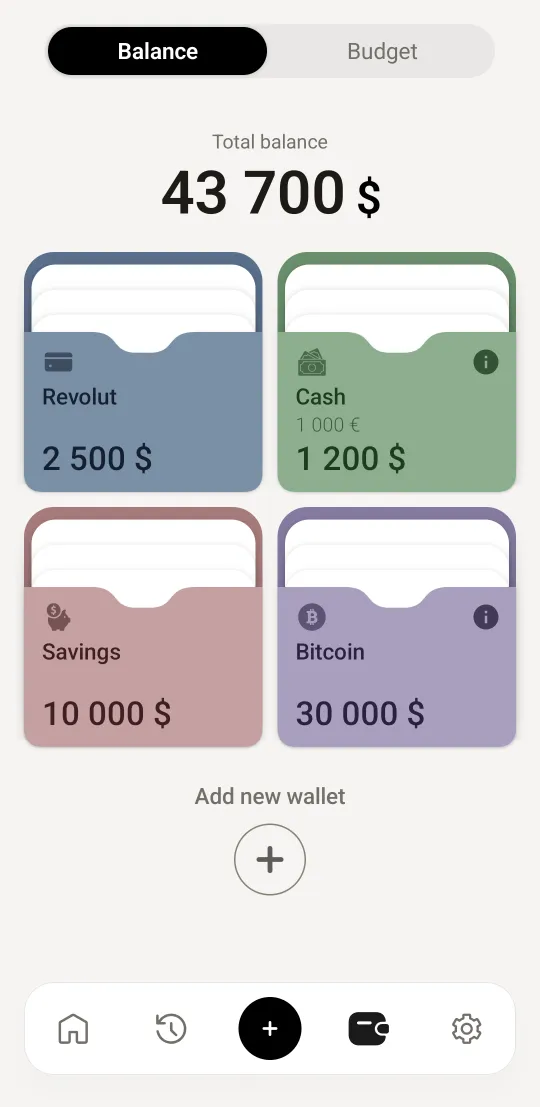
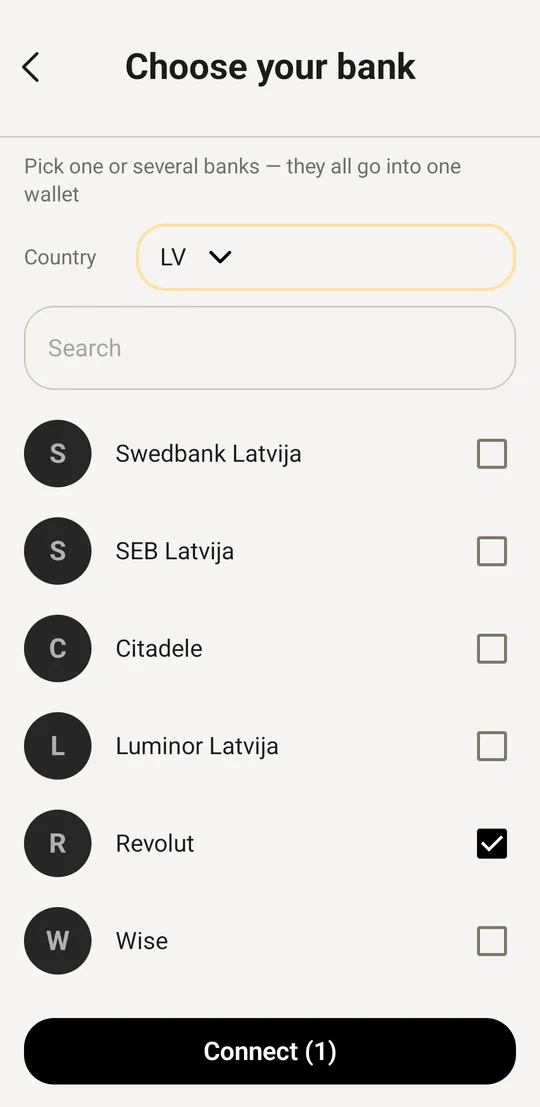
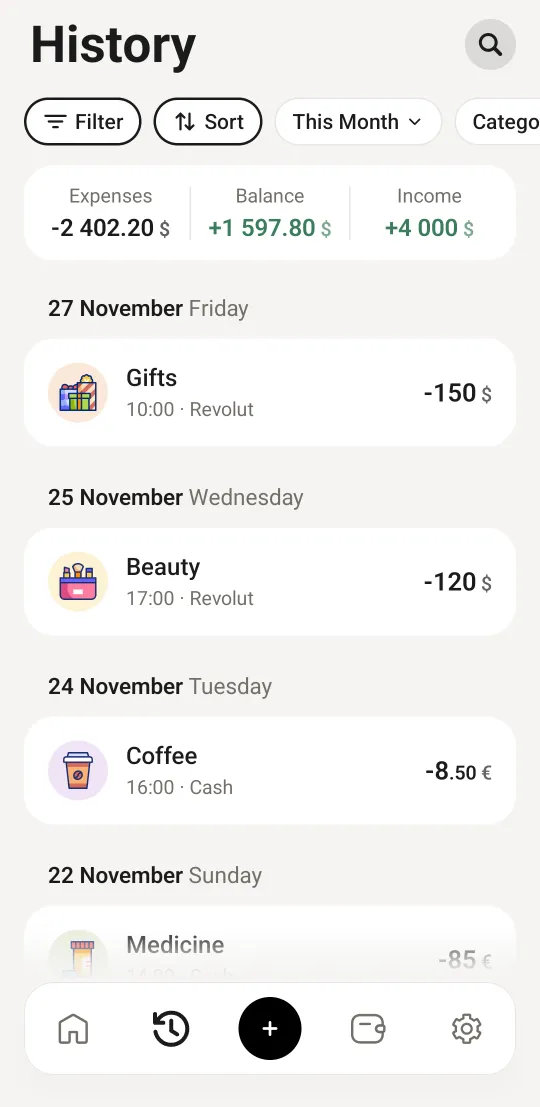
A free budget app with a wallet per bank and one for cash puts everything in one budget. In Wally it works like this:
- Android: Wally reads Revolut's payment notification on your phone and adds the purchase with the shop and a category, for example Paid €27.13 at Wolt. How to connect it.
- iPhone: put your Revolut card in Apple Wallet and Wally logs each Apple Pay payment at a shop.
- Cash and other cards go in by hand in a few taps, or from another bank's notifications on Android.
- Moving money from your main bank to Revolut becomes one transfer, not an expense and an income.
What Wally doesn't do
It doesn't log in to Revolut and doesn't load your past transactions or balance: import starts when you connect. Payments Revolut sends no notification for, such as some direct debits, go in by hand or as a recurring record. Wally has budgets for a week, a month, a year or your own dates, and no Pockets: it tracks money, it doesn't move it.
Questions
Does Revolut have a budgeting feature?
Yes. Tap the analytics and budgeting icon at the top right of Home. You get Spent and Income charts, a budget for a weekly or monthly cycle, your own categories and Income Sorter, which splits your salary into Pockets and savings.
Why is my Revolut spending lower than I expected?
Revolut's Spent section leaves out transfers between your own accounts, top-ups to your Pockets and joint accounts. Cash and payments from other banks' cards are not Revolut transactions, so they are not there either.
Can Wally read Revolut notifications on an iPhone?
No. iOS doesn't let one app read another app's notifications. On an iPhone, add your Revolut card to Apple Wallet and Wally logs each Apple Pay payment at a shop through a Shortcuts automation.
Comparing apps instead? 15 budget apps: what is free and what is paid. Paying in several currencies with Revolut: budget in several currencies.
Get Wally free
No subscription, no ads, no sign-up. Android 7.0+ and iOS 16+.
 On a computer? Point your phone’s camera here to get Wally.